Current build
Grab the latest packaged release from GitHub and open the desktop app locally.

Extal World Builder is a local desktop workspace for creators building novels, campaigns, and deep fictional settings. It brings drafting, encyclopedia-style lorekeeping, characters, timelines, maps, and project tools into one dark, focused studio.
Instead of scattering ideas across folders and loose notes, Extal helps you keep scenes, history, places, and reference material close enough to use while you are still in the middle of creating.
Extal is a desktop tool, meant to be opened like a study full of maps, manuscripts, and lorebooks. Start at the release page, then return here to see how each part of the studio works.
Grab the latest packaged release from GitHub and open the desktop app locally.
AppImage builds let Linux users run Extal as a self-contained desktop application.
Windows builds keep the same core workspace so drafting and worldbuilding stay consistent across platforms.
Your work lives in project vault files, which makes it easier to keep backups and carry the world with you.
Extal is most useful when your setting is no longer a single document. When the cast expands, the kingdoms split, the map grows, and the history begins to branch, the app gives each part of the world a place to live without losing the connection between them.
The Draft tab gives you a word-processing space for chapters and scenes, while the rest of the project remains only a click away.
The World tab stores topics, subtopics, linked items, and rich visual layouts so your lore reads like a true setting archive instead of a stack of plain notes.
Characters, timeline events, and maps all have their own dedicated spaces, so the project can grow outward without becoming hard to navigate.
Each major tab in Extal serves a different part of the creation process. Together they support both the quiet work of writing and the broader work of world design.
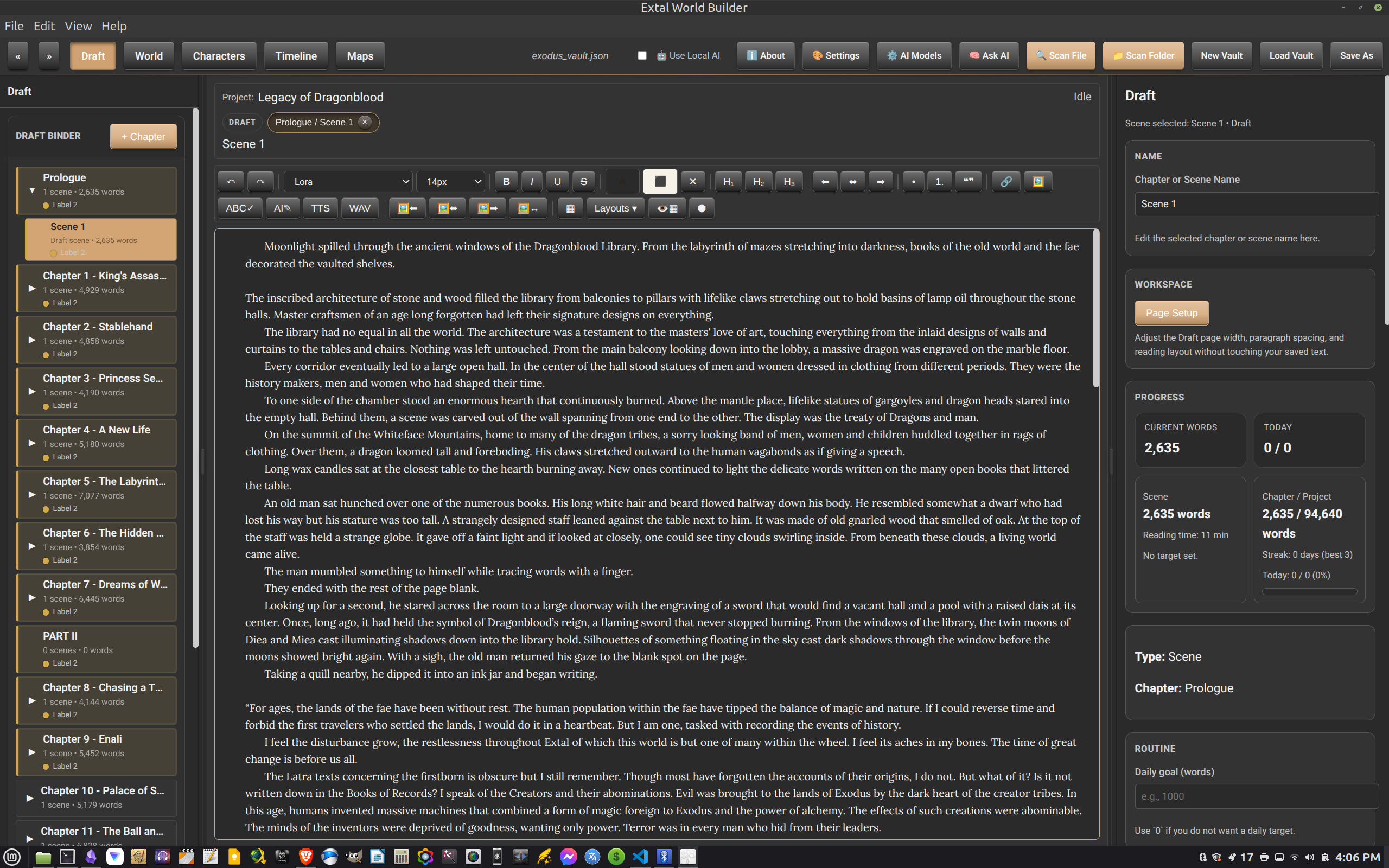
Write chapters and scenes in a focused editor with a left-hand binder and a right panel for scene details, word counts, and workspace controls.
It is the place for prose, revision, and staying inside the current chapter without losing the shape of the larger manuscript.
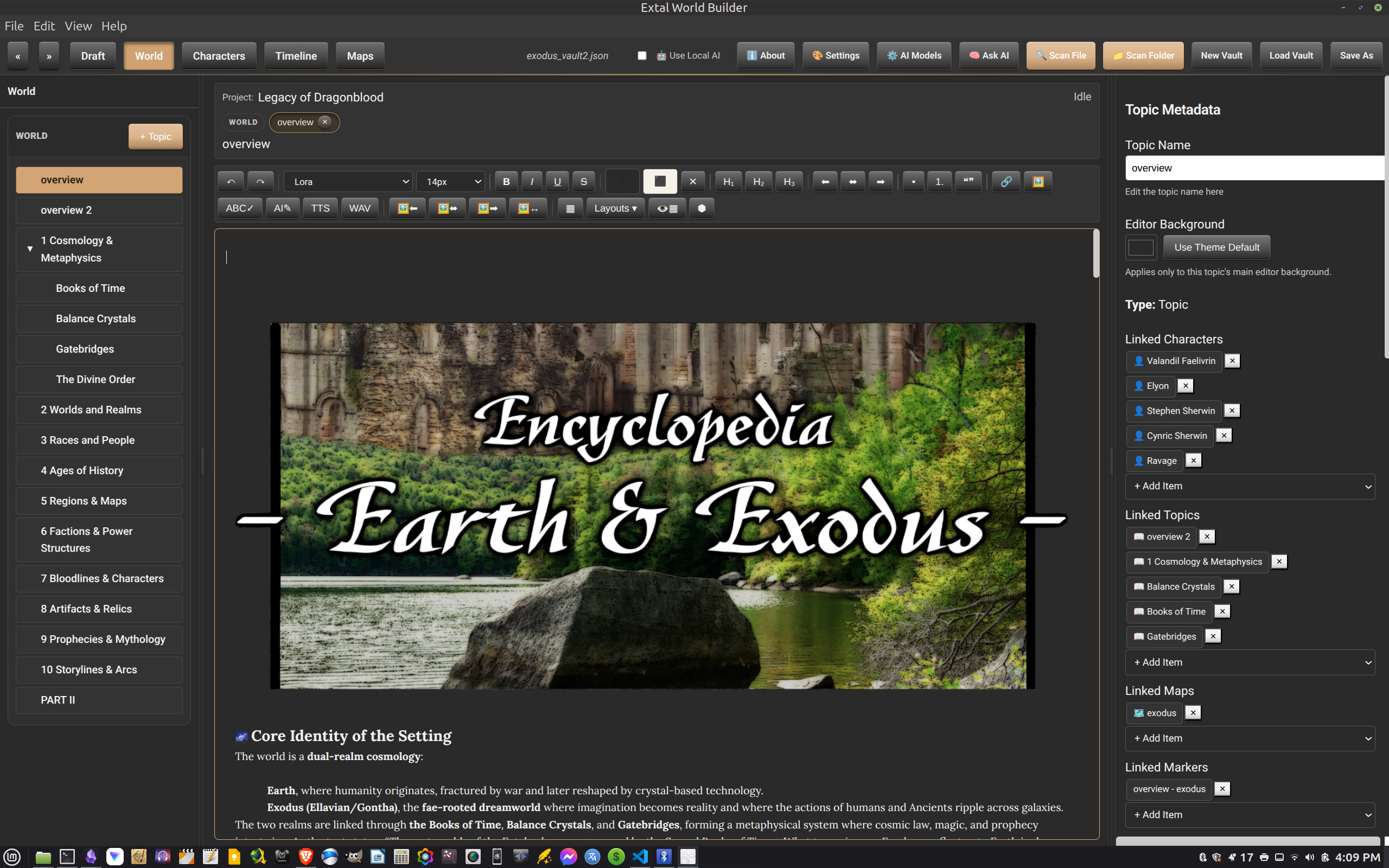
Build lore pages with nested topics, rich text, images, and linked metadata. This is where the setting itself becomes navigable.
The layout supports broad overviews, reference pages, and visual world articles that feel more like an in-universe archive than a bare wiki entry.
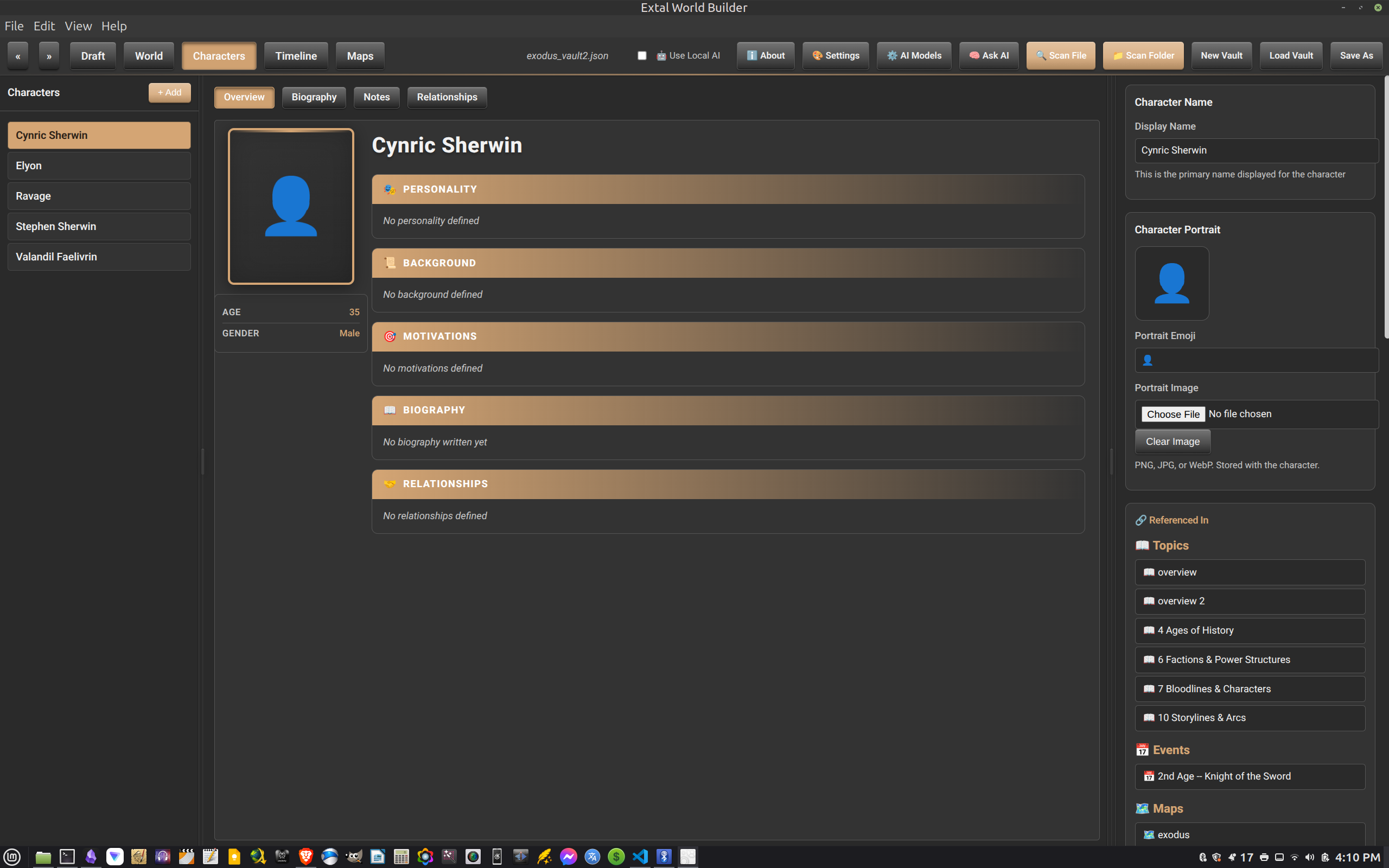
Keep the cast gathered in one roster with profiles, portraits, notes, and overview fields that help define who matters and why.
This gives recurring figures a home outside the manuscript so they remain consistent as the story grows.
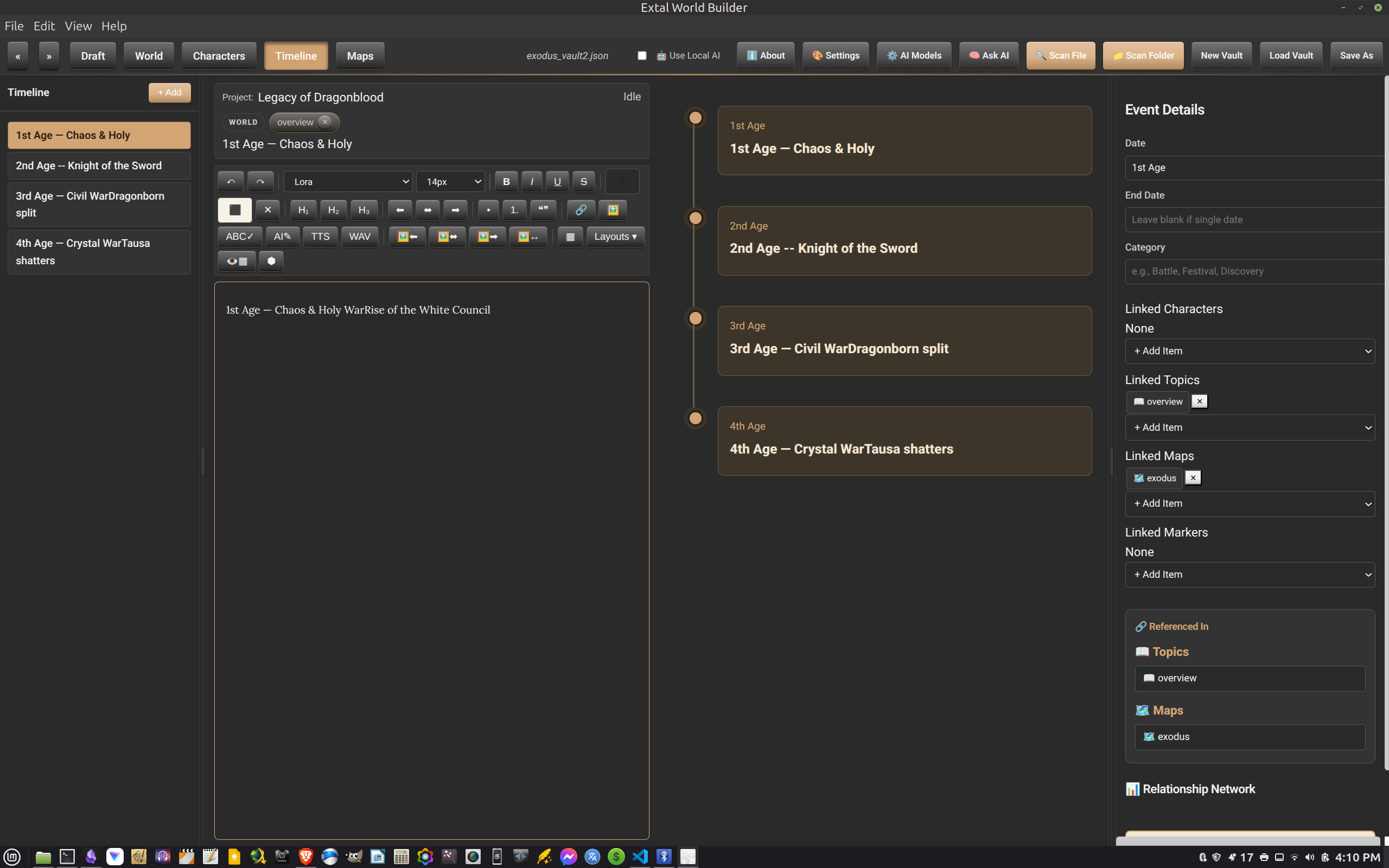
Arrange historical beats, eras, wars, and turning points in chronological form while still keeping an editor open beside the event list.
It is a practical place for checking sequence, refining eras, and making sure history stays clear across the whole project.
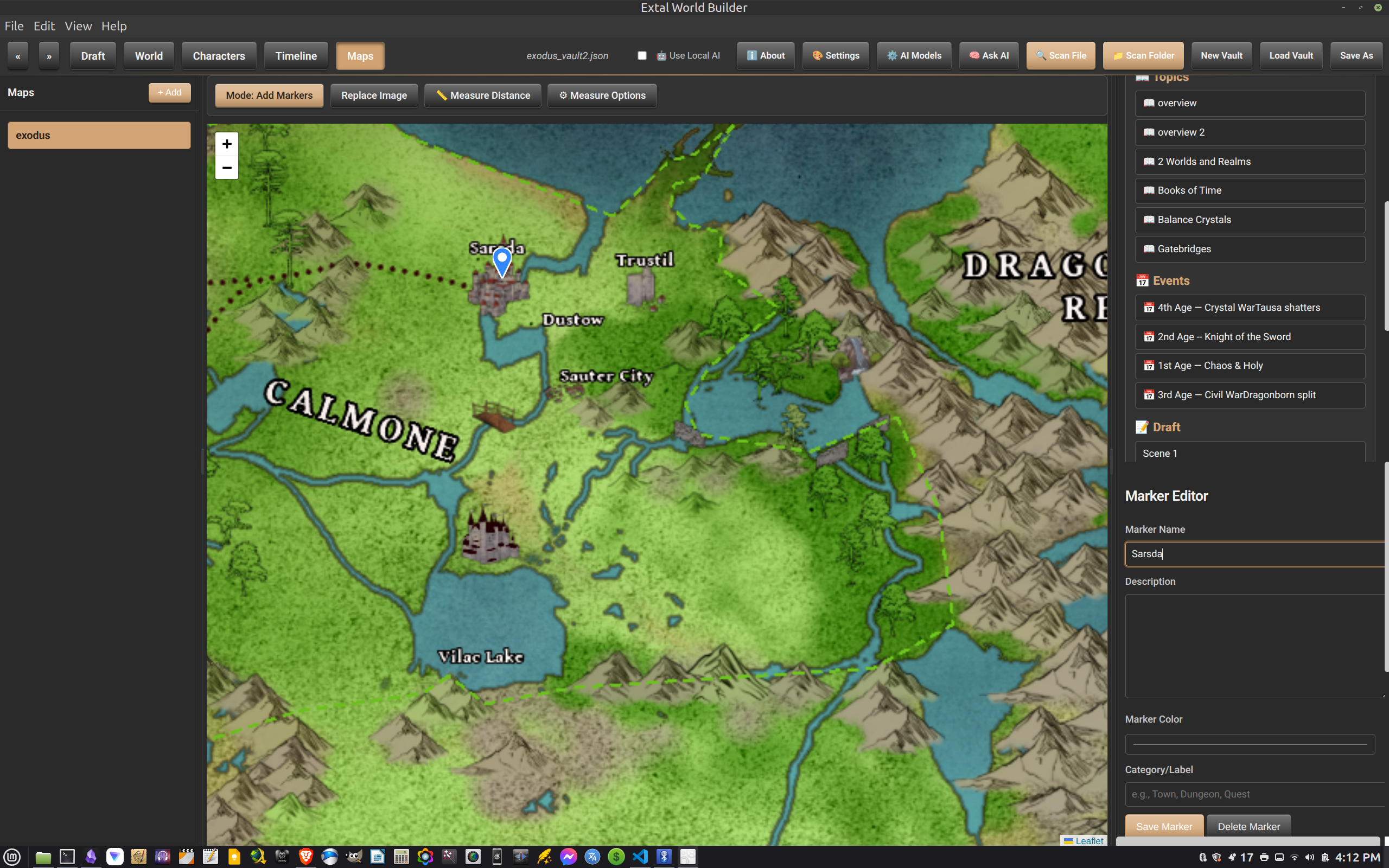
Place markers on your map, name them, describe them, and tie locations back to the rest of the world. The map becomes a working tool instead of a static picture.
For fantasy settings especially, this turns geography into something you can reference while plotting travel, faction borders, and key places.
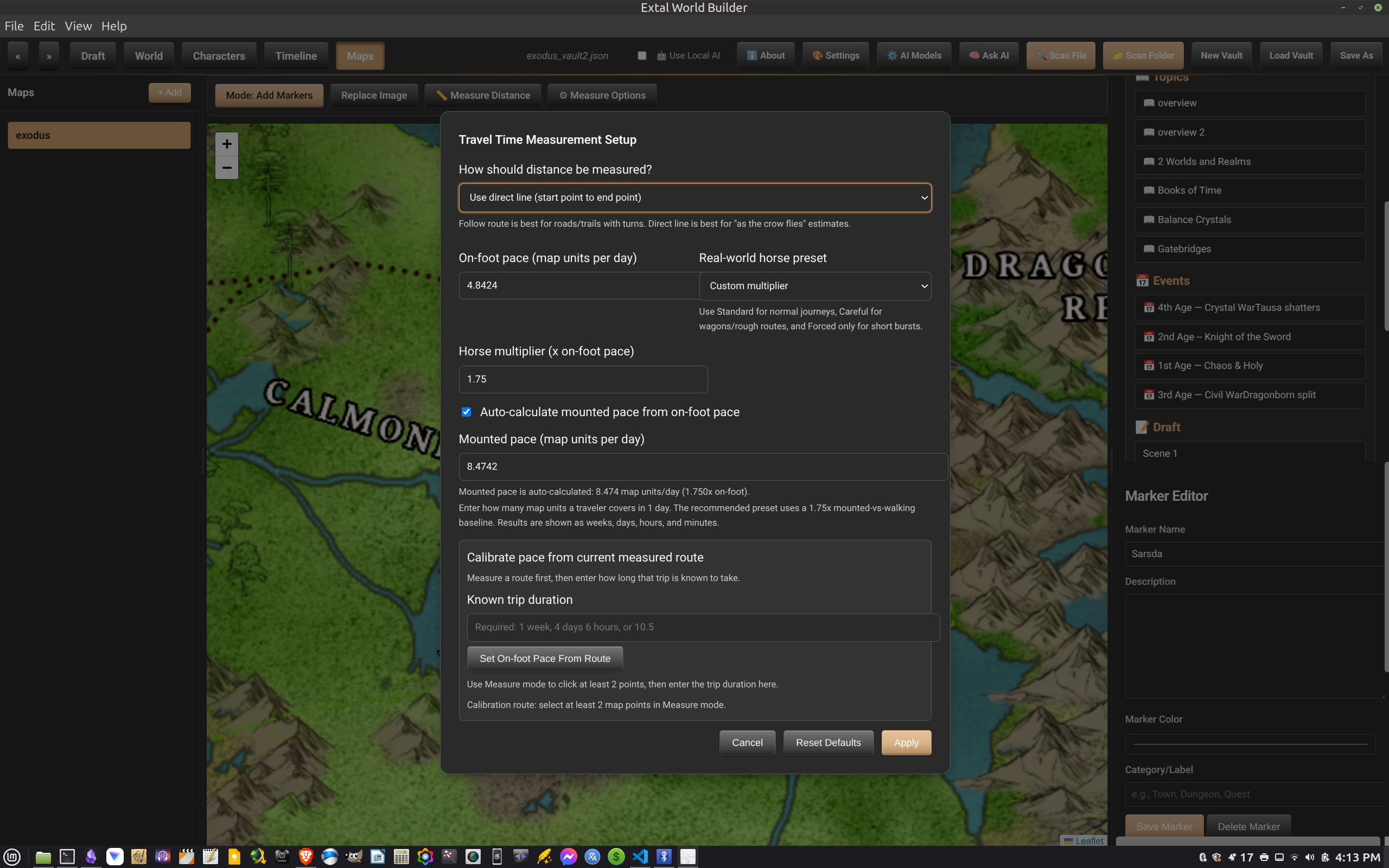
Extal also includes distance measurement tools so you can estimate the pace of a journey instead of guessing every road and crossing by hand.
That makes the map useful for actual story logistics, not just decoration.
Beyond the main tabs, Extal includes project tools meant to support the writer's workflow without inventing a separate ecosystem. These are grounded in the features already inside the app today.
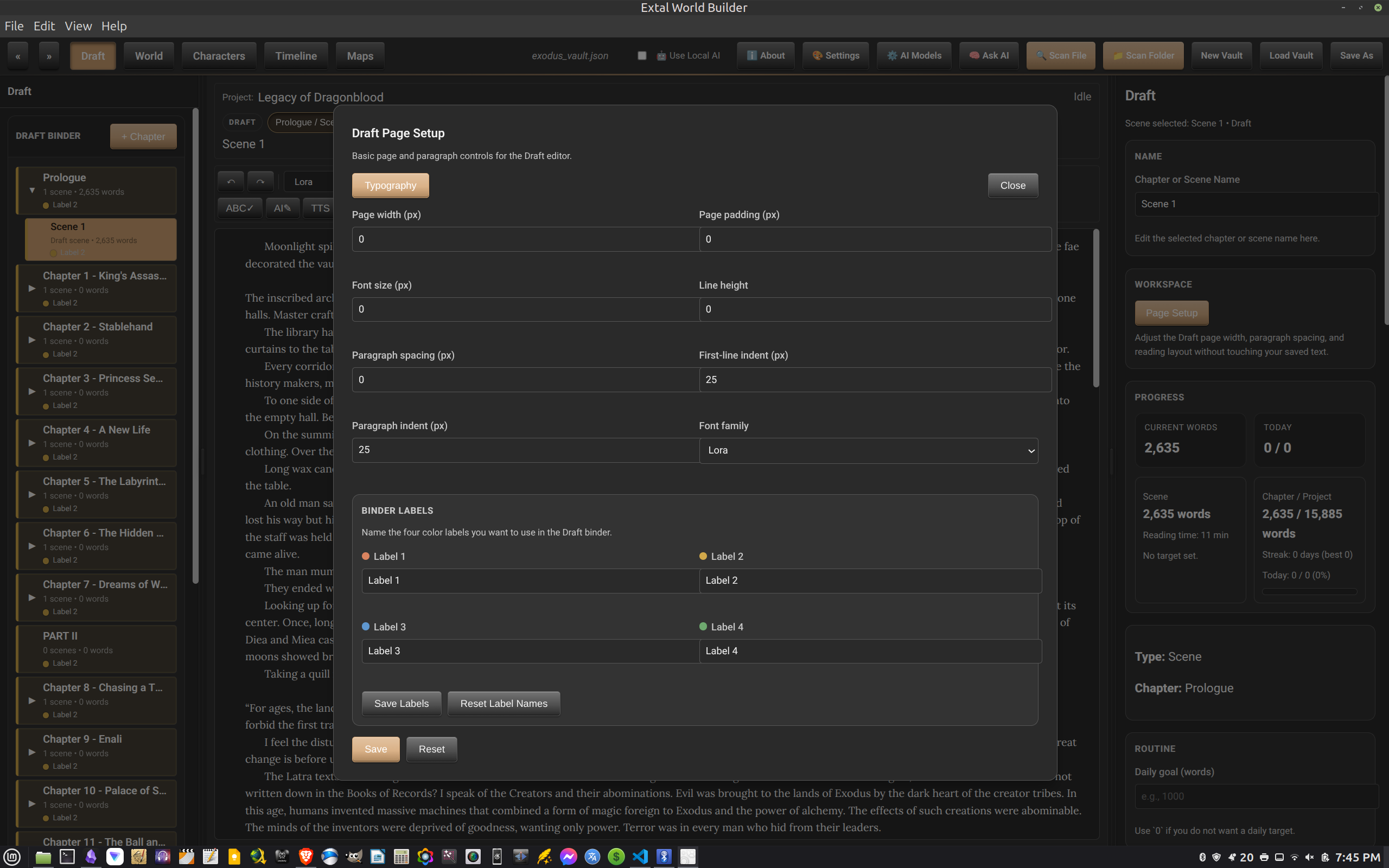
Adjust the writing page with controls for width, padding, font family, font size, line height, paragraph spacing, and indent behavior.
The same setup area also supports binder label naming, which helps color-code chapters and scenes in a way that means something to your process.
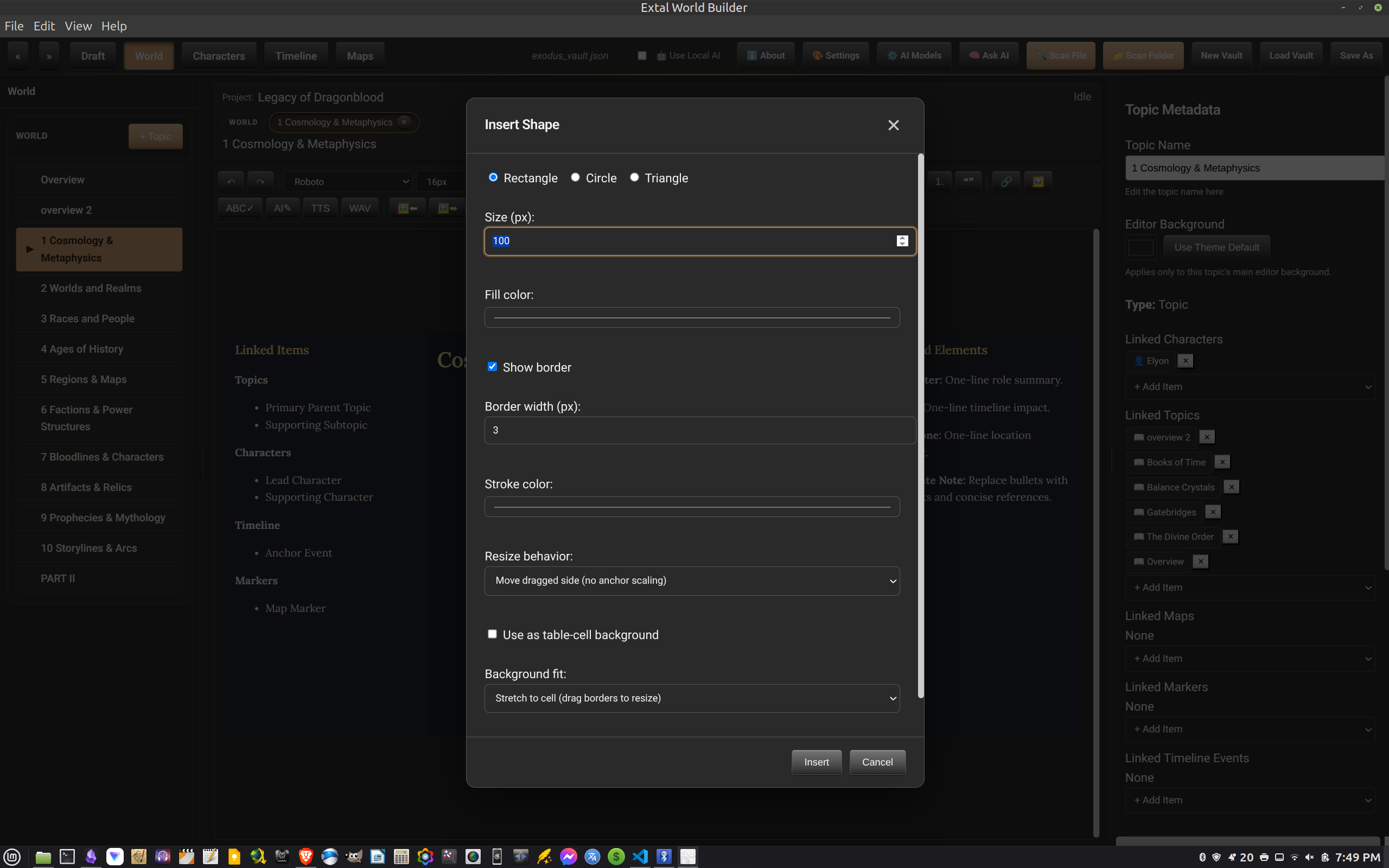
The main editors use TinyMCE and include visual tools for formatting, layout work, and insertable elements such as shapes inside the lore workspace.
That makes the encyclopedia side feel more like page design than plain text entry.
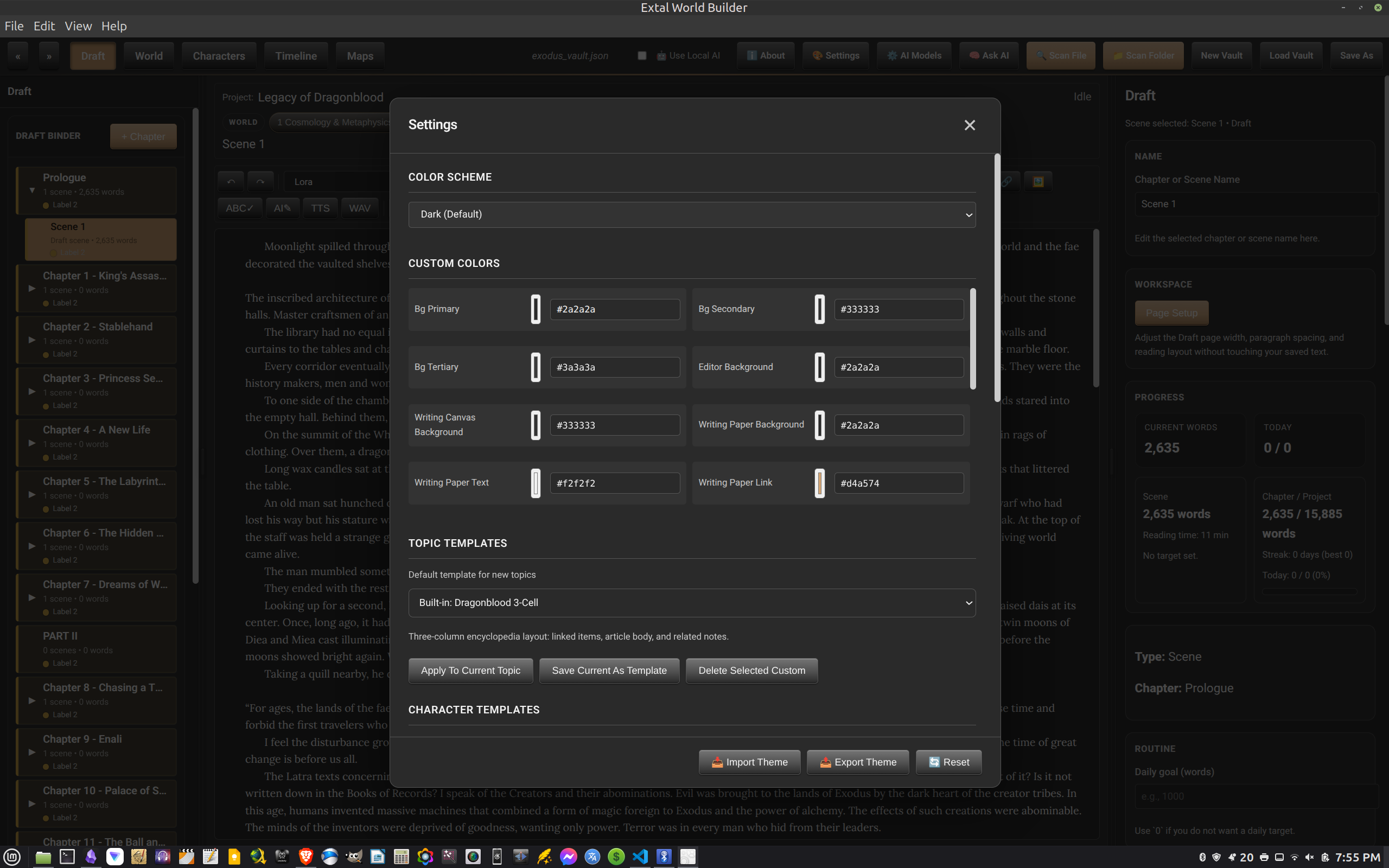
Change the color scheme, edit custom colors, and work with templates from the settings panel so the studio can feel closer to your preferred atmosphere.
For a long writing project, comfort matters. The setting room helps shape that part of the experience.
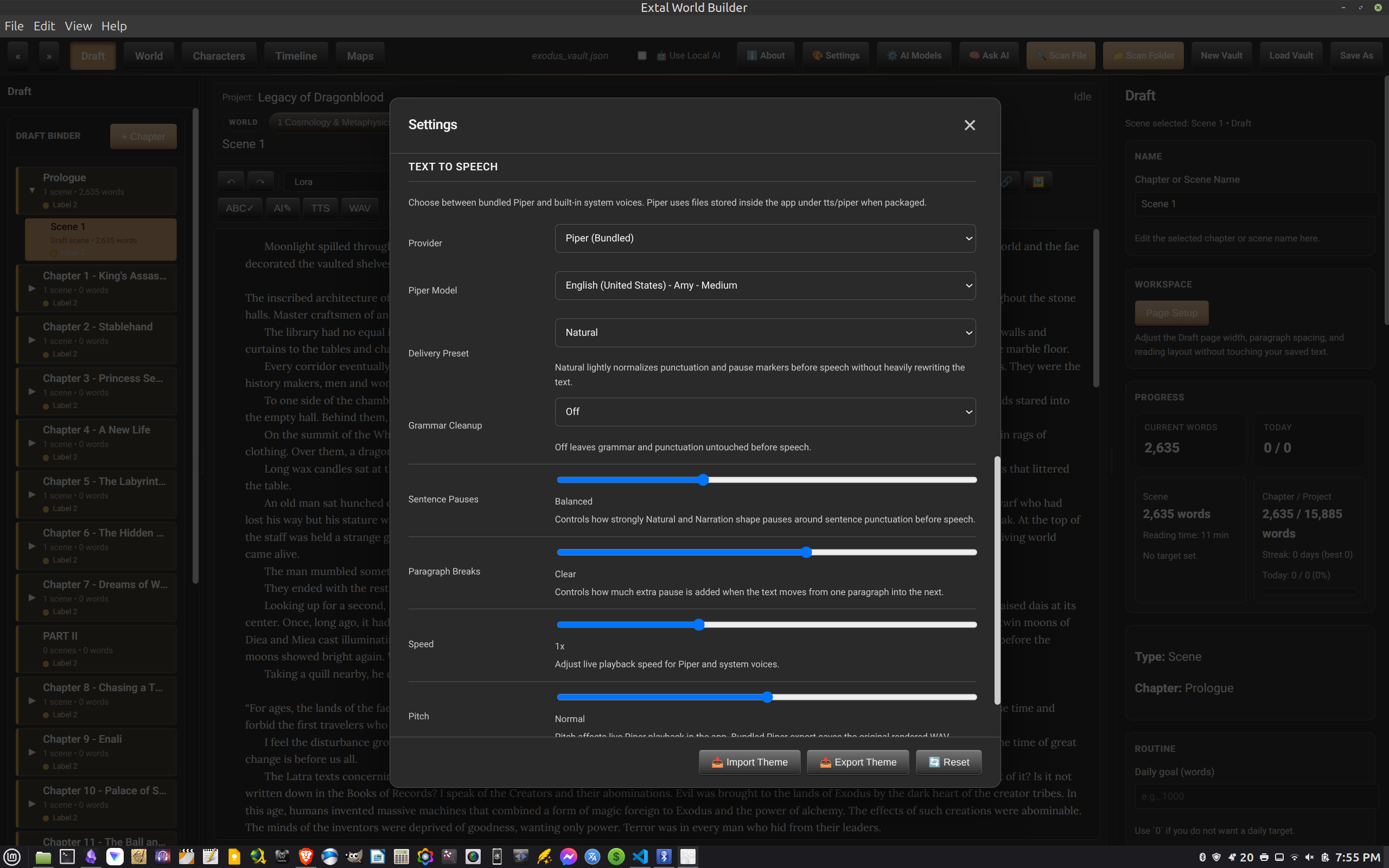
Extal includes text-to-speech settings with provider, voice, delivery, pause, speed, and pitch controls, which can help when you want to hear the rhythm of a scene or catch rough lines through playback.
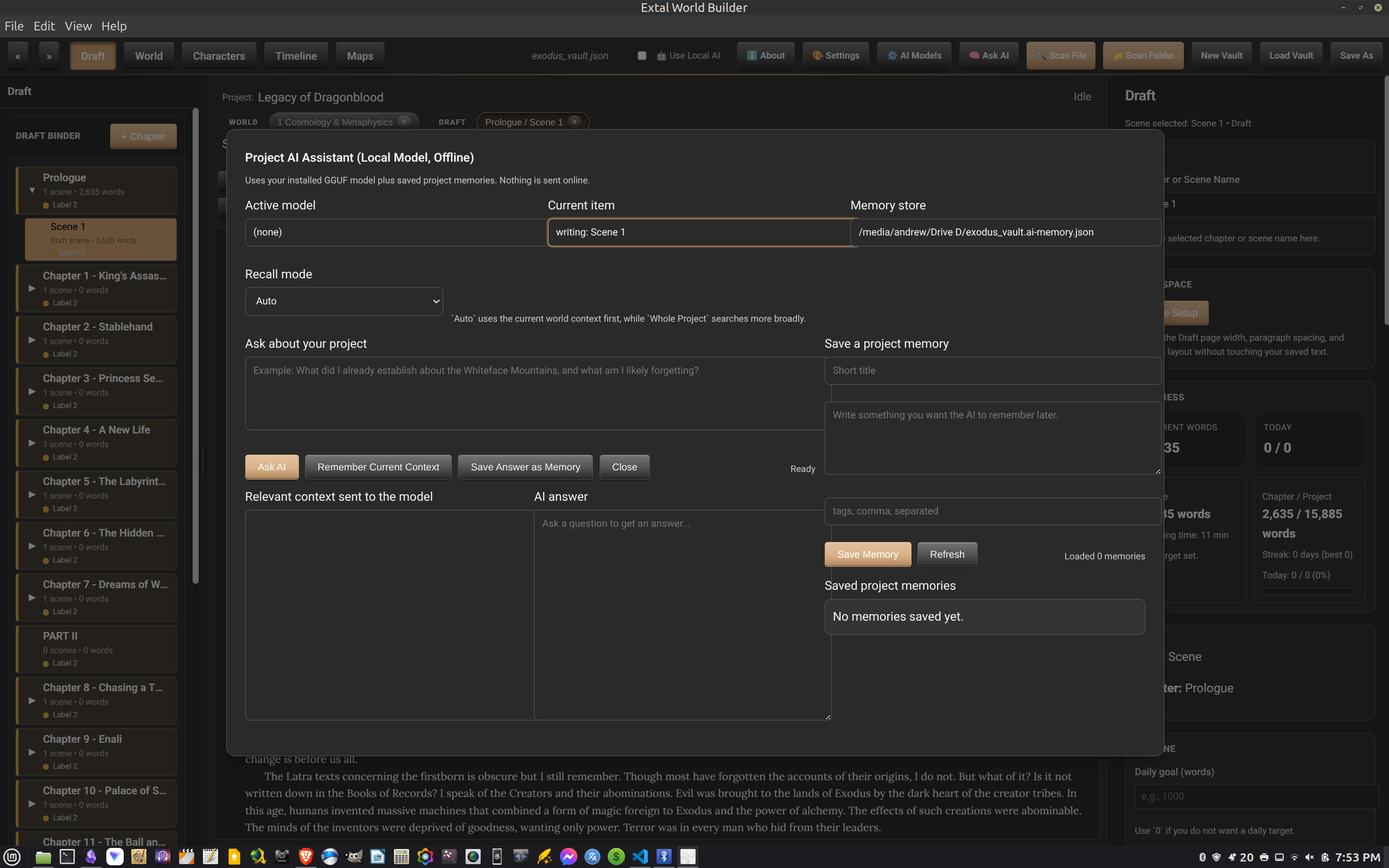
The app also includes an offline project assistant built around local models and saved project memories, giving you a way to ask questions about your own material without sending the project online.
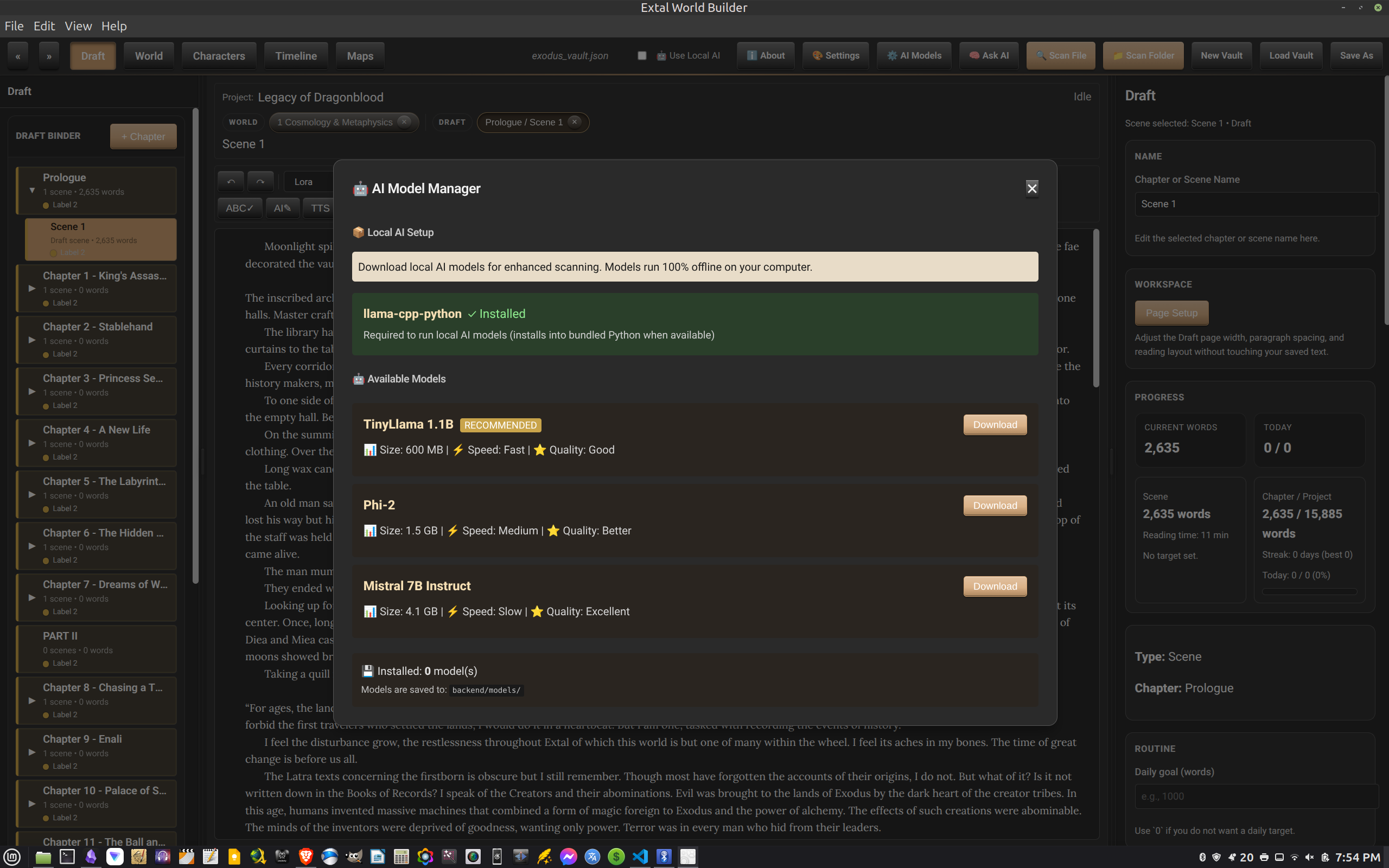
A dedicated model manager handles local AI setup and shows downloadable model choices with simple notes about size, speed, and quality.
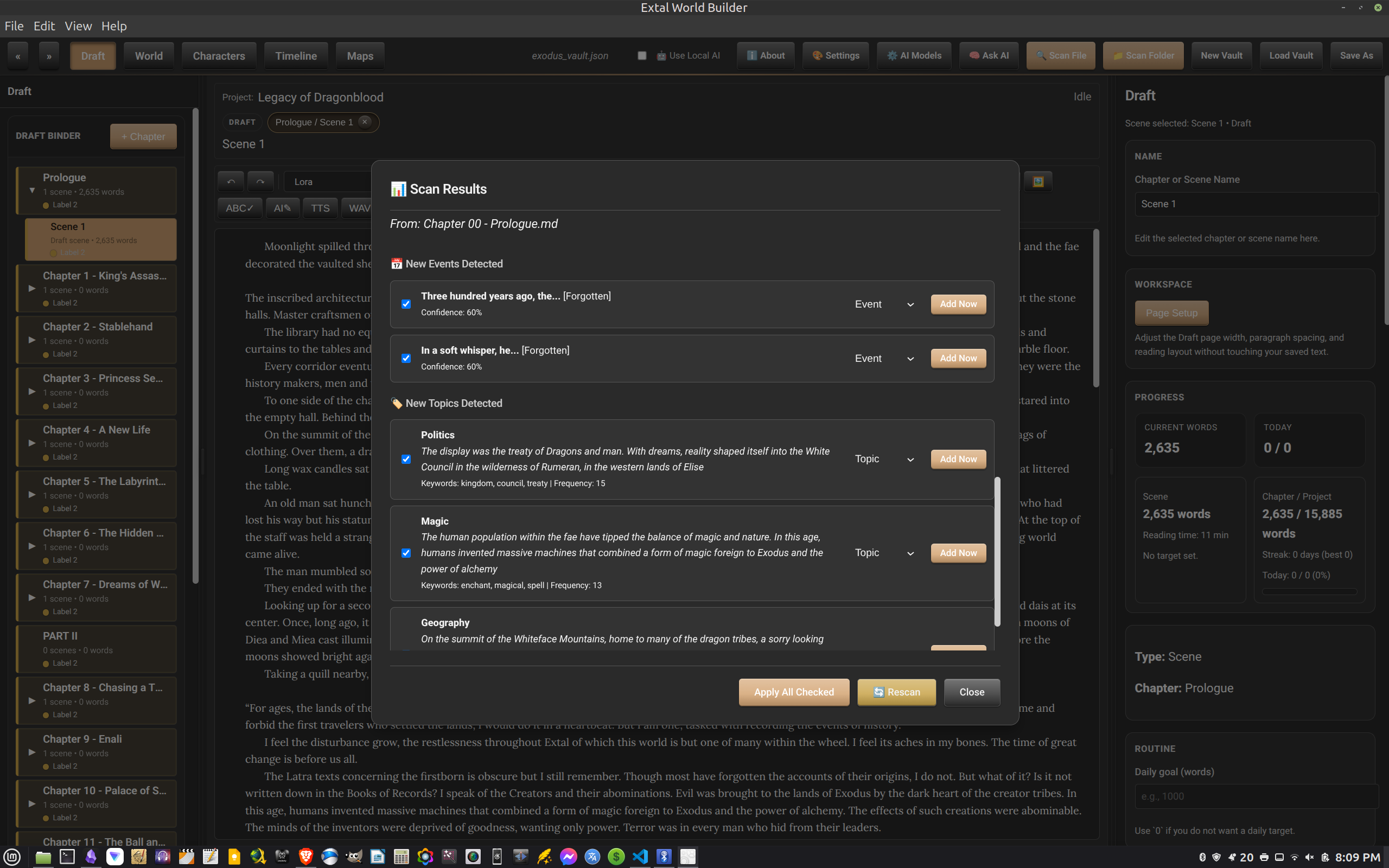
The scan tools can pull through source text and present detected topics and events in a review window, letting you inspect what was found before you add it to the project.
It is a practical bridge between loose notes and structured world data, especially when you are bringing older writing into the vault.
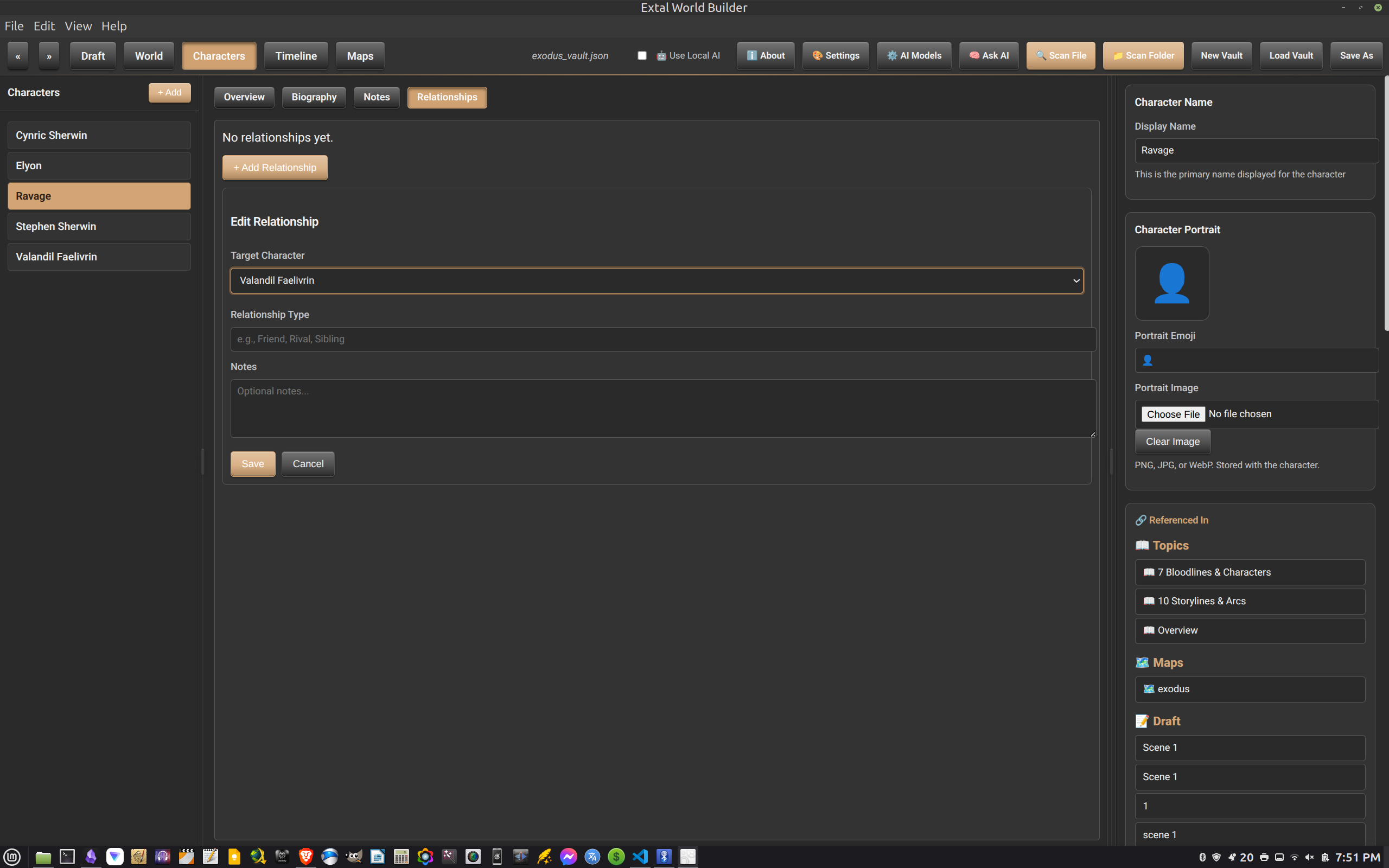
Characters are not only profiles. The relationship editor gives named connections their own place, which matters when rivalries, kinship, loyalty, and history begin to weave together.
Worldbuilding has a way of spreading. A single city becomes a trade road. The road demands a border. The border calls for an old war, a fallen dynasty, three saints, two traitors, and the name of the watchtower where it all began.
Extal helps hold that expansion together. It gives the manuscript a Draft tab, the setting a World tab, the cast a roster, the ages a Timeline, and the land a Map. For novelists, game masters, and lore-heavy creators, it turns scattered invention into a workspace you can return to and still understand.